MyEPayWindow Employee Guide
Employee user guide
- Employee Login page
- myePayWindow user interface
- Employee Dashboard
- My Settings
- Notifications
- ePayslips
- ePayslips-P60s,P11Ds & P45s
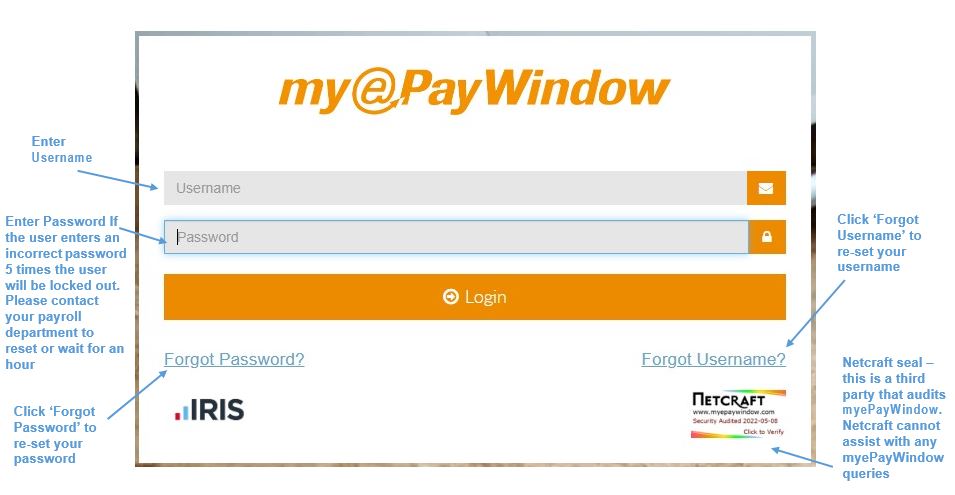
Employee Login Page
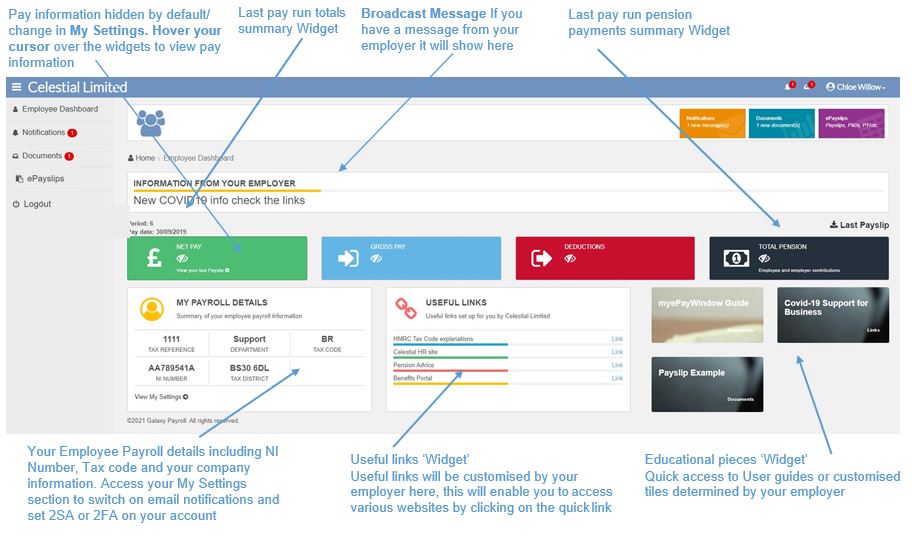
Employee Dashboard Home-page
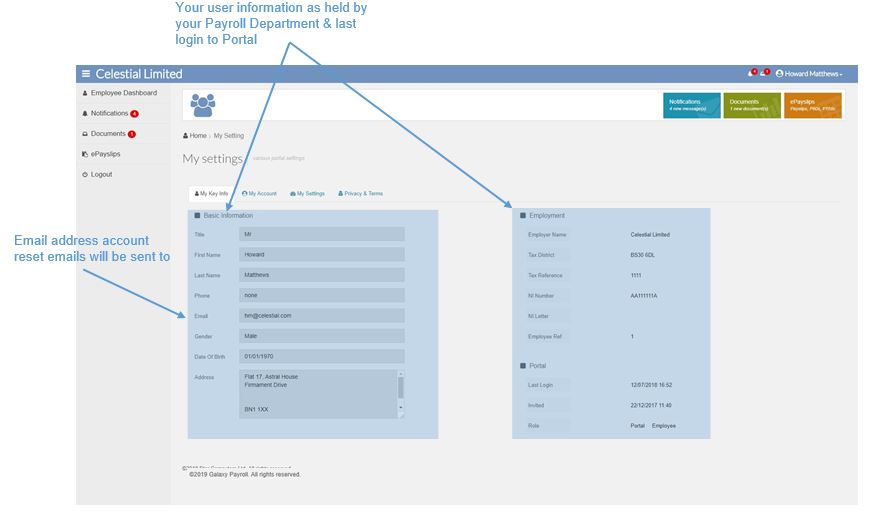
My Settings – My Key Info tab
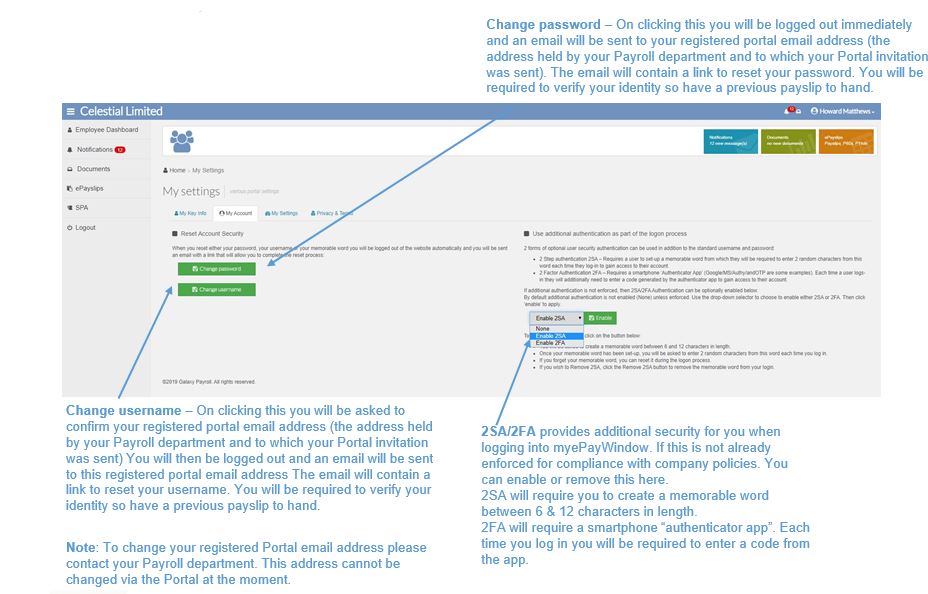
My Settings - My Account tab
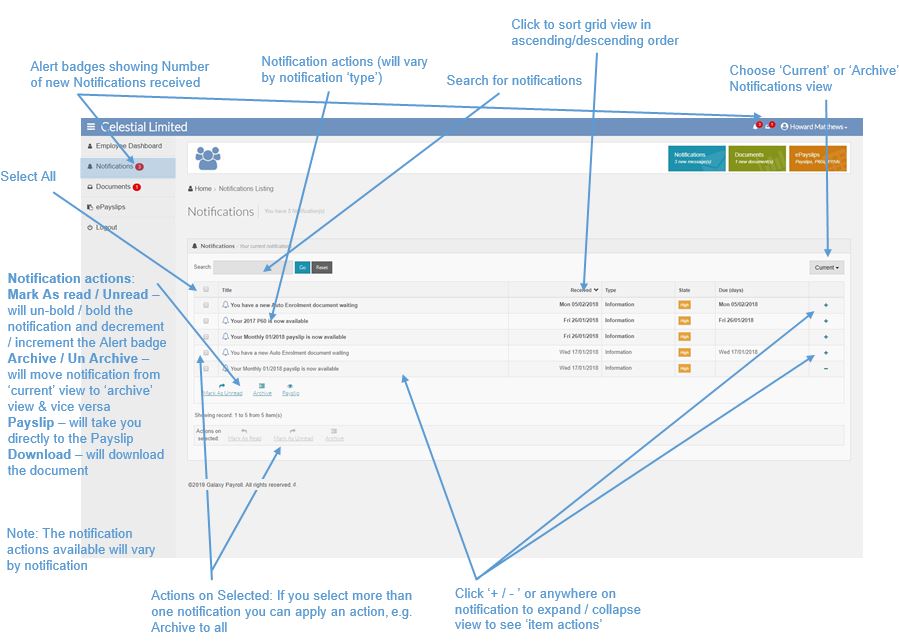
Notifications
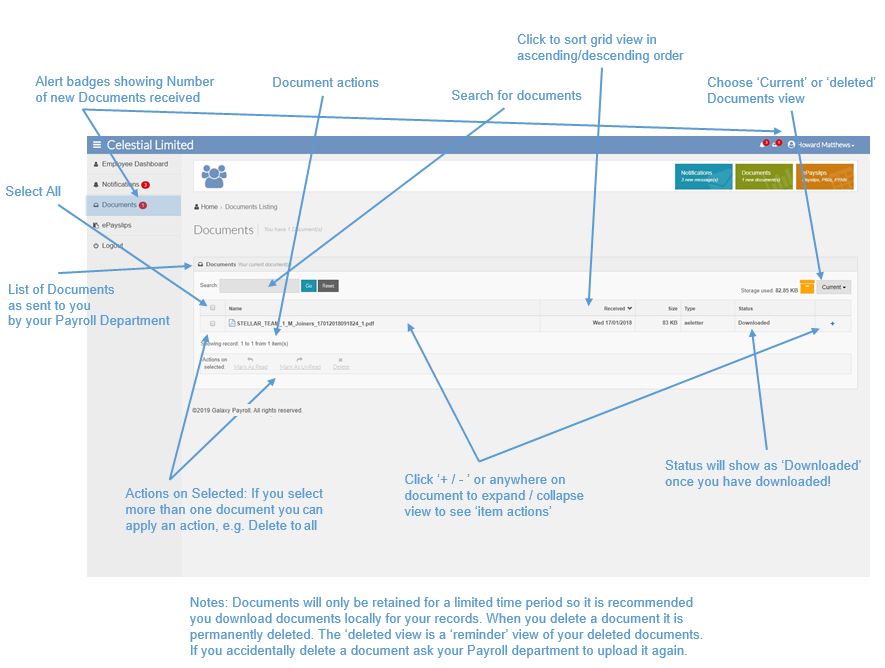
Documents
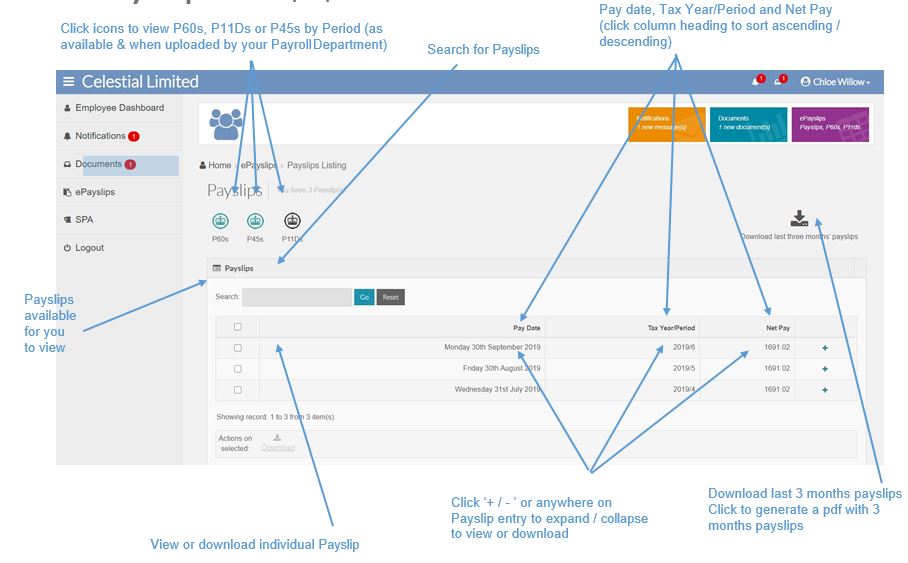
Payslips
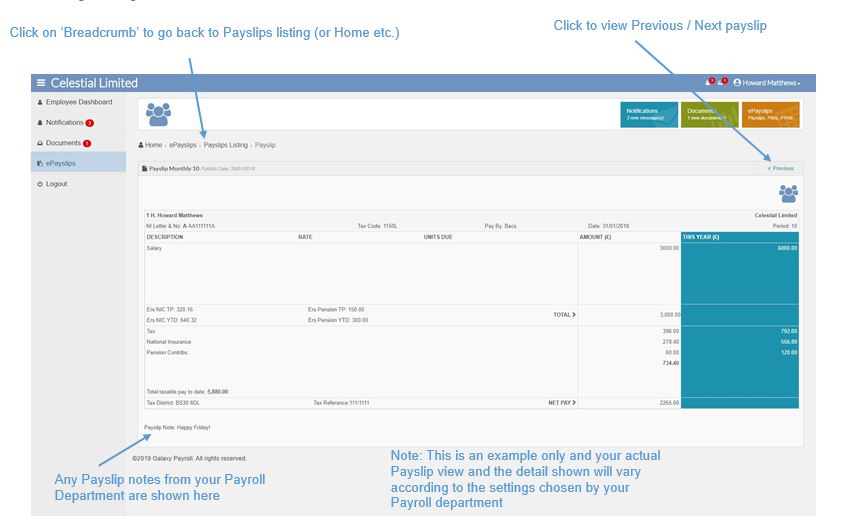
Online Payslip view
From Payslips screen click the 3 icons to view your P60s, P11Ds or P45s by Period (as available & when uploaded by your Payroll Department)
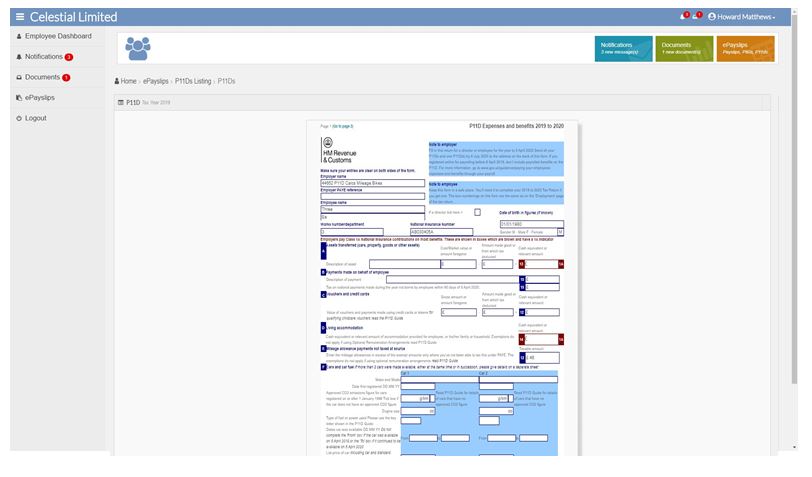
P11D View
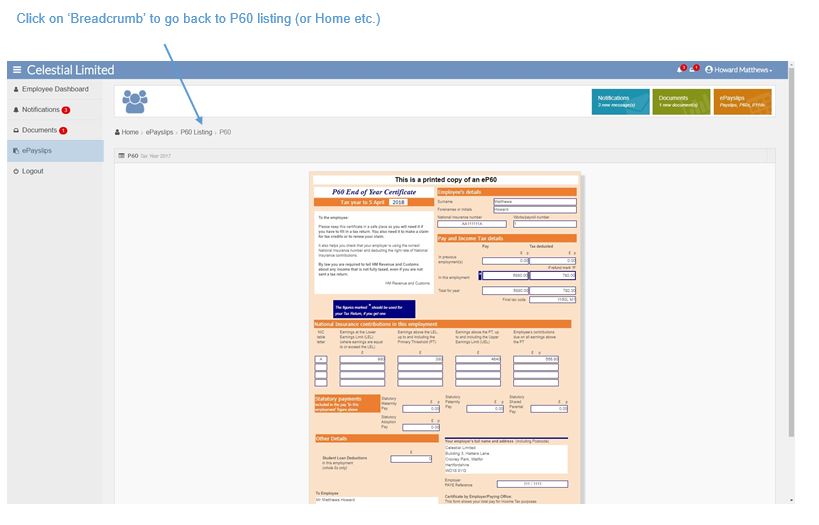
P60 View
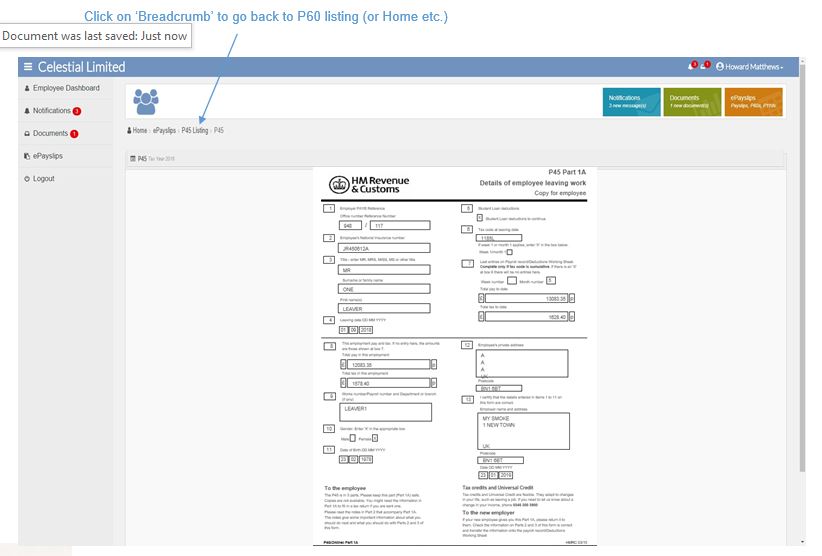
P45 View