MyEPayWindow Guide to Registration
Employer Employer users
1 Respond to invitation email
2. Register on Portal
Step 1 - Verify your identity
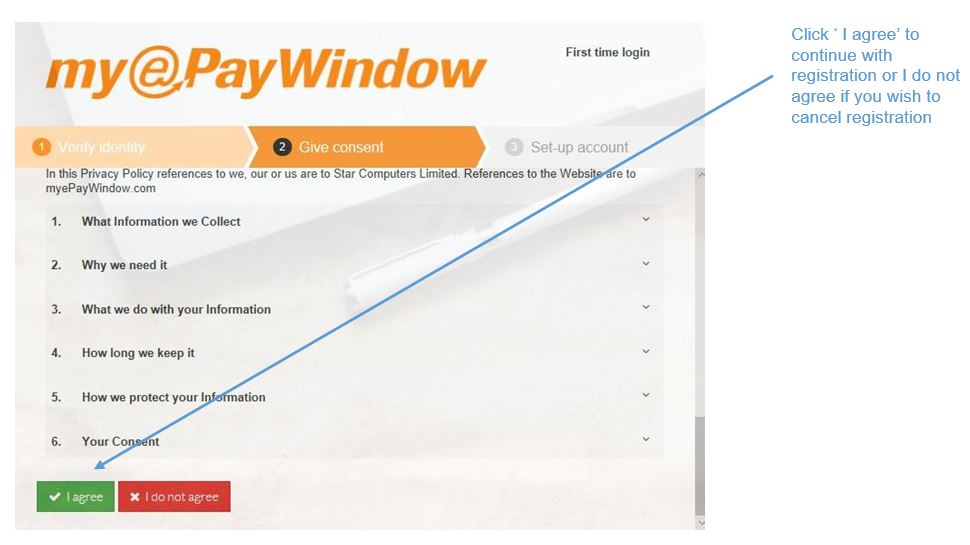
Step 2 - Give consent
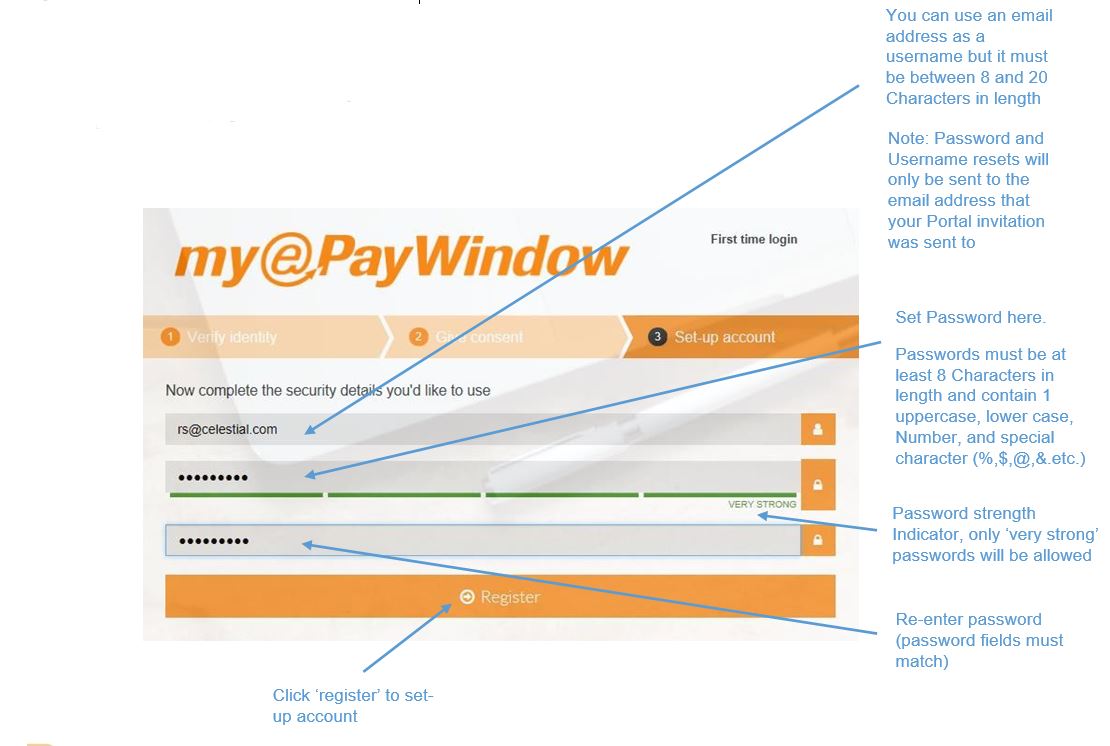
Step 3 - Create Account security details
3. Activate Account- respond to activation email
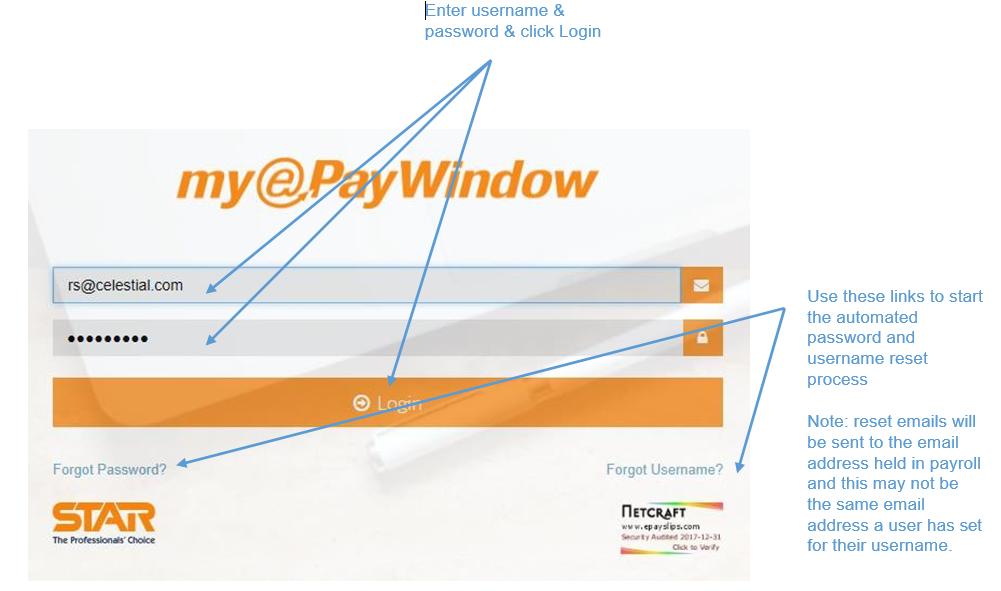
4. Login to your new account on myePayWindow
Respond to Portal Invitation Emails
Invitation emails are valid for 20 days following receipt.
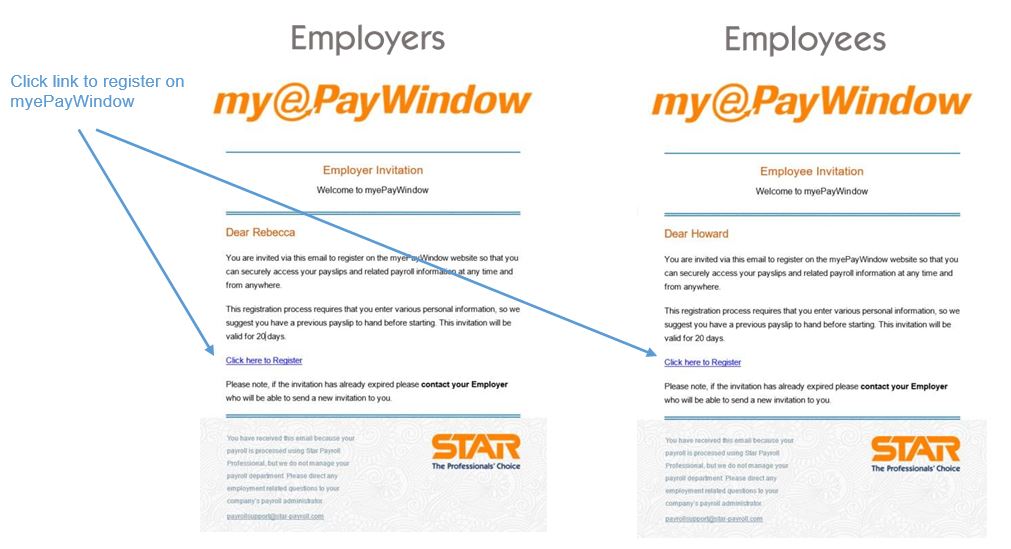
Register on the Portal
Step 1 - Verify your identity

Step 2 - Give consent, agree terms
Step 3 - Set-up username & Password
Step 3 - Check your inbox!
You will receive an email to let you know you have registered successfully, you will then receive a further email with an account activation link, this will verify your email.
Responding to Portal activations emails

Login to your new portal account